Alternatives
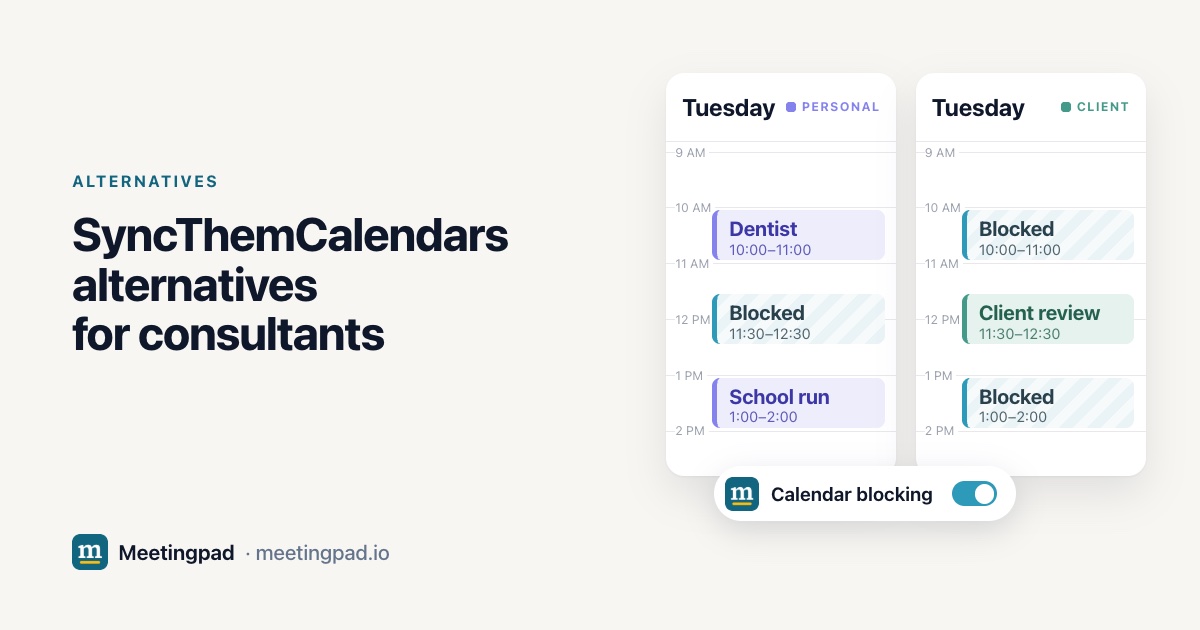
SyncThemCalendars copies events between Google, Outlook and iCloud, one way or both ways, and can hide the details behind a Busy block. Meetingpad works differently: switch on calendar blocking once, and a meeting on any calendar you connect adds a private Blocked event to all the others, without the meeting's title. It works with Google and Microsoft calendars. OneCal, Multical, CalendarBridge, Reclaim, Notion Calendar and Google Calendar sharing cover other needs. We built Meetingpad, so it's on this list; every other tool's details come from its own website, checked on November 9, 2026.
SyncThemCalendars is a web service with nothing to install. Its FAQ names managing several client calendars, running several businesses and blocking personal time on a work calendar as common uses. You choose whether calendars mirror each other both ways or copy one way, and you can hide a copied event's title, description and location behind a simple Busy block.
Every plan covers unlimited calendars of all types and one user; plans differ by number of syncs. After a 14-day trial, Basic covers 5 syncs at $3.99 a month billed yearly, Premium 16 at $7.99 and Professional 36 at $17.99.
| Number of syncs or calendars on the entry plan | Booking links | |
|---|---|---|
| SyncThemCalendars | 5 calendar syncs | None found on its website |
| OneCal | 2 calendars on Starter | Unlimited scheduling links |
| Multical | Unlimited calendar syncing | Links that check every connected calendar |
| CalendarBridge | 2 calendars on yearly Basic | Up to 10 scheduling pages |
| Reclaim | Lite: 1 calendar sync | 1 scheduling link on Lite |
| Meetingpad | Unlimited Google and Microsoft calendars | 2 per account free, unlimited on Pro |
From each company's own website and help pages, checked on November 9, 2026. Prices change, so check before you buy.
Both SyncThemCalendars and Meetingpad can keep the meeting's details off your other calendars: SyncThemCalendars with its Busy block, Meetingpad with a private event titled Blocked.
Skip it if you need iCloud, a phone app or a team plan, or if a client's IT won't allow third-party apps.
Copies events like SyncThemCalendars, with unlimited scheduling links and phone apps. Meetingpad vs OneCal
Blocks your time across Google, Outlook and iCloud, with scheduling links for each client. Meetingpad vs Multical
Mirrors events with CalDAV servers such as Fastmail and Zoho, plus up to 10 scheduling pages. Meetingpad vs CalendarBridge
Adds a busy block across Google and Outlook and schedules tasks and focus time around it. Meetingpad vs Reclaim
Free, connects Google, Outlook and iCloud, and can auto-block busy slots across them. Meetingpad vs Notion Calendar
Free/busy sharing with no third-party app, where the administrator allows it.
We found none on its website. Its pages describe copying events between calendars.
Yes. It can hide a copied event's title, description and location behind a Busy block.
After a 14-day trial, Basic is $3.99 a month billed yearly for 5 calendar syncs.
Connect your Google and Microsoft calendars and switch on calendar blocking. A meeting on one adds a private Blocked event to the others, so each client's team sees you're busy.