Alternatives
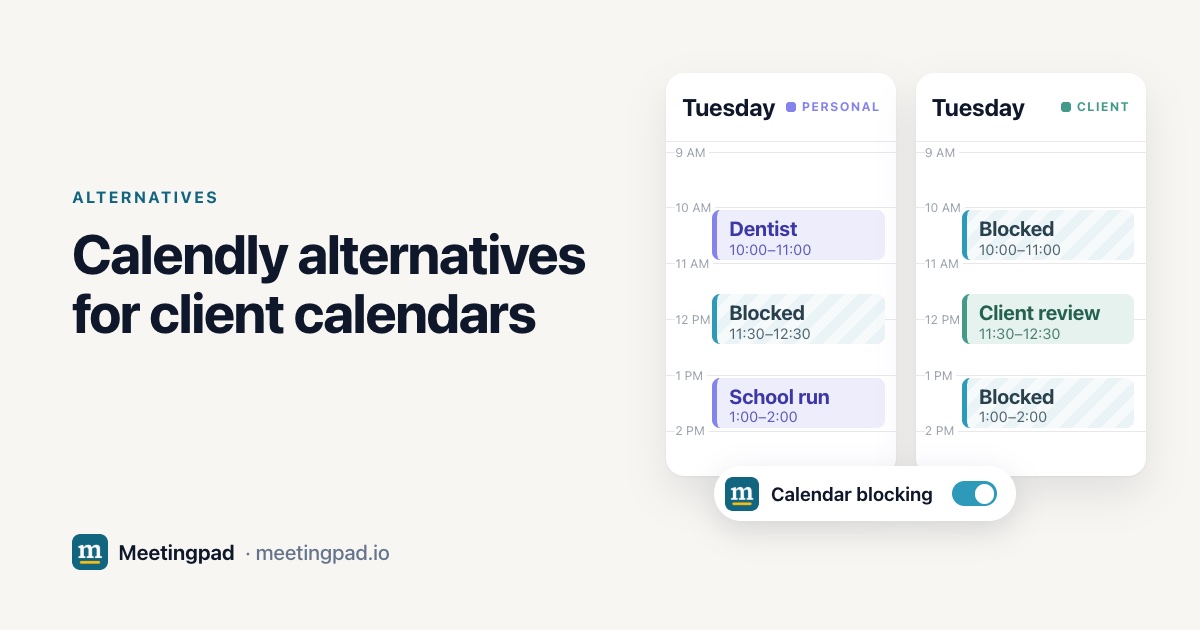
When a client books you over a meeting on another calendar, a better booking link won't fix it: their calendar only sees its own meetings, so it shows you as free. Pick a tool that blocks the time on every calendar. Meetingpad adds a private Blocked event to every other calendar you connect, so each client's team sees you're busy. If people only ever book you through your link, Cal.com's free plan checks every calendar you connect. Notion Calendar, Reclaim and Multical also block time; OneCal and CalendarBridge sync events between calendars, with a busy-only option. We built Meetingpad, so it's on this list; every other tool's details come from its own website, checked on November 9, 2026.
Calendly checks the calendars you connect for busy times before it offers a slot, then adds the new meeting to one main calendar you choose. The free plan has one calendar connection and one event type. Standard, $10 per seat per month billed yearly or $12 monthly, connects 6 calendars. Teams, $16 billed yearly or $20 monthly, adds round-robin.
All of that happens inside your booking link. When a client opens their own calendar and invites you to 2:00, Calendly isn't involved, and nothing on that calendar says you're already in a meeting with someone else.
| Checks your calendars when someone uses your link | Marks you busy on your other calendars | Number of calendars on the free plan or trial | |
|---|---|---|---|
| Calendly | Yes, up to 6 on Standard | No, the booking goes to one calendar | One |
| Cal.com | Yes, every connected calendar | No, the booking goes to one calendar | Unlimited |
| Notion Calendar | Scheduling links | Auto-blocks busy slots | Free; Google, Outlook and iCloud |
| Reclaim | Scheduling links | Busy block from calendar sync | Lite: 2 connected calendars |
| Multical | Links check every connected calendar | Blocks the time | 7-day trial |
| OneCal | Unlimited scheduling links | Copies events; the title can be hidden | 14-day trial |
| CalendarBridge | Up to 10 scheduling pages | Mirrors events, all details or just busy | Free trial, length not stated |
| Meetingpad | Booking links that only offer times you're free on every calendar you connect | A private Blocked event | Unlimited Google and Microsoft calendars |
From each company's own website and help pages, checked on November 9, 2026. Prices change, so check before you buy.
Skip it if you need iCloud, a phone app or a team plan, or if a client's IT won't allow third-party apps.
Free booking links that check every calendar you connect. Meetingpad vs Cal.com
A free calendar app that can auto-block busy slots. Meetingpad vs Notion Calendar
An AI assistant with calendar sync for Google and Outlook. Meetingpad vs Reclaim
Blocks your time across Google, Outlook and iCloud. Meetingpad vs Multical
Copies events across Google, Outlook, iCloud and CalDAV. Meetingpad vs OneCal
Mirrors events, including CalDAV, with organization accounts. Meetingpad vs CalendarBridge
Calendly checks the calendars you connect for conflicts and adds each booking to one calendar you choose. It doesn't describe adding a block to your other calendars.
For booking links, Cal.com's free plan has unlimited links and calendars. If clients also book you from their own calendars, Meetingpad's free plan blocks the time on every Google and Microsoft calendar you connect.
One on the free plan. Standard, $10 per seat per month billed yearly, connects 6.
Connect your Google and Microsoft calendars and switch on calendar blocking. A meeting on one adds a private Blocked event to the others, so each client's team sees you're busy.